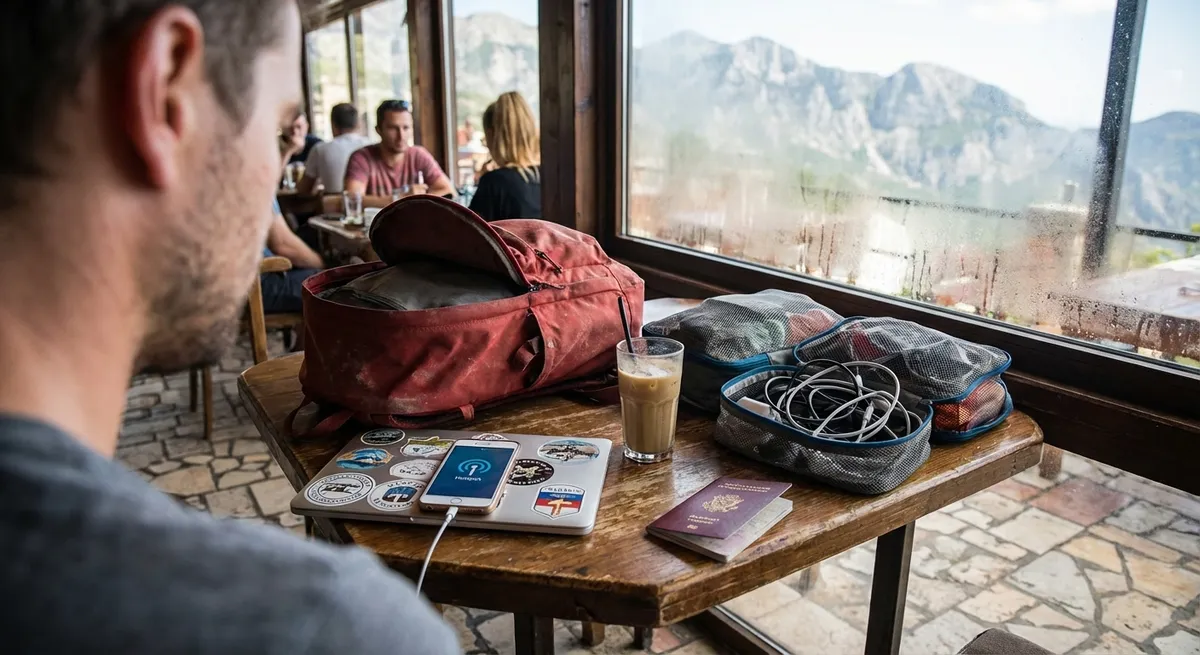
Remote work looks glamorous on Instagram; it looks different at 2 a.m. in a hostel with bad Wi‑Fi and a client deadline. This isn’t about latte photos and “follow your passion” quotes. This is about how to keep money coming in, clients trusting you, and your sanity mostly intact while you move from place to place.
Below are five essential, field-tested habits that make remote work sustainable when you’re not just “on a trip” but actually living on the road.
1. Design Your Workday Around Time Zones, Not Apps
Most nomads obsess over tools. Experienced ones obsess over time zones.
Before you book any flight, know exactly where your clients and teammates are and what your overlap windows will be. Use tools like time zone converters and world clocks to map out when you’re reachable, when you’re deep working, and when you’re simply asleep. If your clients are clustered in North America but you love Asia, accept that your “workday” may run from late afternoon into the night or early morning. That doesn’t have to be miserable if you architect everything else around it—meals, workouts, social time, and travel days.
Communicate your working hours clearly before you move. Put your current time zone and response window in your email signature and chat profiles. If you’re shifting zones, send a short note a week in advance: when your availability changes, what stays the same (deadlines, deliverables), and how emergencies are handled. When you treat time zones as infrastructure instead of an afterthought, you stop apologizing for “weird hours” and start using them strategically—for example, working late to send something that lands in a client’s morning inbox.
2. Treat Connectivity Like Rent: Non-Negotiable and Pre‑Checked
Internet isn’t a perk for a remote worker; it’s your office lease. You don’t leave it to chance.
Before you confirm any stay, ask specific questions: “What is your actual speed in Mbps up and down?” “Is the router in the room or shared across the building?” “Is there a backup network if the primary one goes down?” Many hosts will say “good Wi‑Fi” without knowing what that means; ask for a screenshot of a recent speed test. If they hesitate or ignore it, assume it’s unreliable and make your decisions accordingly.
Always have at least one backup connection that you control. That usually means a local SIM card with a data plan and hotspot capability, plus an offline cache of your current work. Download critical files to your laptop in case cloud services won’t load when you need them. For big upload days—sending video files, code releases, large design assets—scope out coworking spaces and cafes beforehand. Don’t wait until the day of delivery to discover that the entire neighborhood’s Wi‑Fi crawls when it rains.
3. Standardize Your Gear and Workflows So Travel Days Don’t Break You
Chaos on travel days is normal; chaos in your workflow shouldn’t be.
Keep a minimal, standardized work kit that you can pack in five minutes with your eyes half closed: laptop, charger, universal adapter, short Ethernet cable if you use them, noise-canceling headphones or solid earbuds, and a backup battery. Use small pouches for cables and accessories so airport security checkpoints don’t explode your setup. The goal is simple: wherever you land, you can recreate the same working environment in under ten minutes.
The same logic applies to your digital life. Store recurring templates—client onboarding docs, proposals, reports, invoices—in the cloud where you can access them from any device. Automate what you can: recurring invoices, backups, calendar reminders, status reports. Use consistent folder structures and naming conventions so you can find assets quickly even when you’re tired or rushed. When your physical and digital setups are predictable, you can absorb a delayed flight or a surprise bus ride without your work collapsing.
4. Use “Client Confidence Signals” to Offset Your Moving Target Life
Clients don’t really care where you are; they care whether they can trust you. Your job is to reduce the perceived risk of working with someone who’s never in the same place twice.
Start with reliability theater that’s backed by reality: show up on time to calls, even from questionable time zones; send deliverables slightly earlier than promised when you can; make it visible that you’re organized. Use recurring check-ins for bigger projects—a weekly or biweekly progress update with bullet points: what’s done, what’s in progress, what’s blocked. This sounds basic, but it’s rare enough that it will quietly raise your value.
When you change countries or time zones, proactively inform key clients a few days beforehand. One short, calm message that includes your new working window, a reassurance that deadlines remain unchanged, and any brief notes about connectivity (for example, “I’ll be in transit on Tuesday but fully online again Wednesday”) goes a long way. Avoid oversharing travel chaos; your clients want competence, not your full itinerary. The more boring and predictable you appear to them, the freer you are to live a not-at-all-boring life in the background.
5. Build Personal Guardrails So Work and Travel Don’t Eat Each Other
If you don’t put boundaries around work and travel, they’ll both expand until you burn out. On the road, that burnout can get expensive fast.
Set a default weekly structure that follows you from city to city: which days are heavy work days, which are lighter or “errand days,” and which are protected for actual exploration or rest. Treat big sightseeing days or long hikes the way you’d treat a conference back home—scheduled, planned around, and not crammed between two major deadlines. If you chase both “maximum income” and “maximum experiences” every single week, you’ll eventually hit a wall.
Create simple rules that protect your future self. For example: no major travel the day before a key deadline; no booking late-night flights if you’re expected on a client call the next morning; no accepting rush work from new clients without a clear premium and written scope. Also, remember that your body is your actual laptop: protect your sleep, hydration, and basic fitness. It’s tempting to live like you’re on permanent vacation. The professionals who last years on the road act more like athletes: they know that their ability to think clearly is the real product they’re selling.
Conclusion
Remote work on the move isn’t about chasing the cheapest Airbnb or the prettiest coworking space. It’s about building a system that survives flight delays, visa runs, noisy hostels, and time zone gymnastics—without scaring off your clients or torching your health.
Design around time zones, lock down connectivity, standardize your setup, actively manage client confidence, and give yourself guardrails so both your work and your travels stay sustainable. Get those five pieces right, and you’re not just “getting away with it”—you’re running a portable career that can follow you almost anywhere.
Sources
- U.S. Federal Communications Commission – Broadband Speed Guide - Useful for understanding what upload/download speeds you actually need for remote work tasks.
- Harvard Business Review – How to Collaborate Effectively If Your Team Is Remote - Covers best practices for communication, coordination, and building trust when working remotely.
- Timeanddate.com – World Clock and Time Zone Converter - Practical tool for planning meetings and work hours across multiple time zones.
- Mayo Clinic – Sleep Tips: 6 Steps to Better Sleep - Evidence-based guidance on sleep hygiene, crucial for staying productive across changing environments.
- GitLab Remote Work Report - Insights from a fully remote company on the systems and habits that keep distributed teams effective.
Key Takeaway
The most important thing to remember from this article is that this information can change how you think about Remote Work.