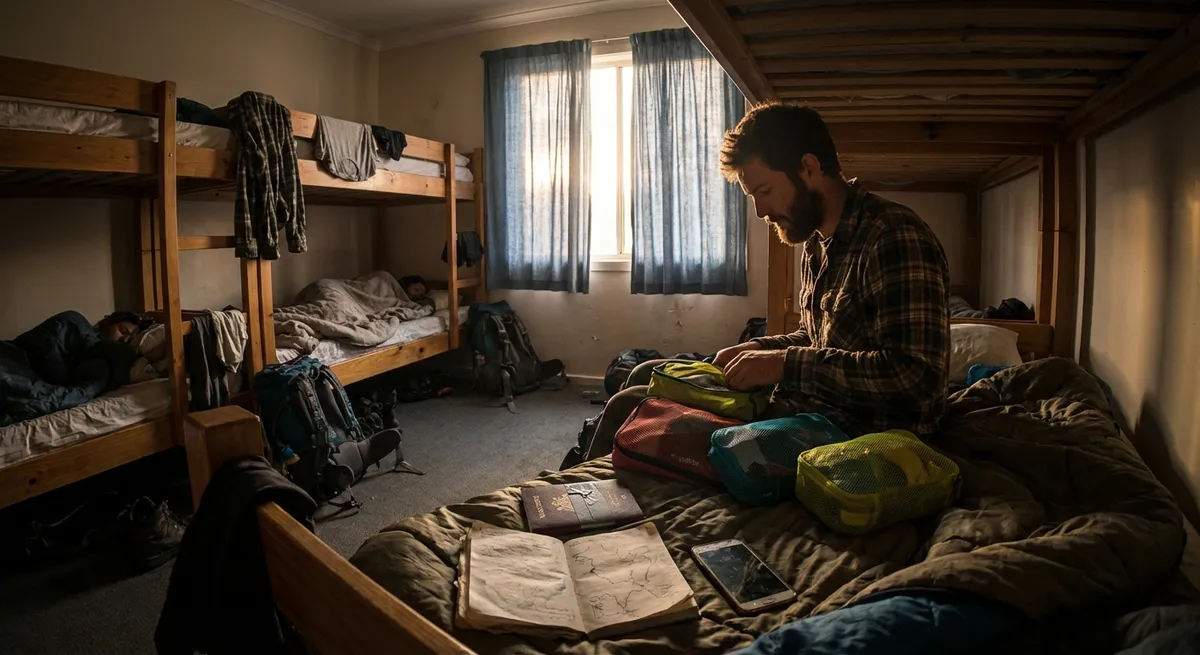
If you’re working on the road, travel days aren’t “days off”—they’re potential disasters for your income. Flights get delayed, Airbnb hosts ghost you, and “high-speed Wi‑Fi” turns out to mean “the router is from 2009.” This isn’t about Instagrammable coffees; it’s about not blowing client deadlines because a bus got canceled.
These are five essential, field-tested tips for digital nomads who treat travel days like operations, not adventures.
Tip 1: Plan Travel Around Your Most Important Work, Not the Cheapest Ticket
Booking the absolute cheapest flight is how you end up trying to upload a 2GB file on airport Wi‑Fi with 3% battery left. When your income depends on your reliability, price is only one factor—timing and buffer matter more.
Plan your travel around your non‑negotiable work blocks. If you have a client call at 3 p.m., you’re not “cutting it close” with a noon arrival—you’re playing Russian roulette with delays, immigration lines, and missing bags. Travel the day before any high‑stakes call, launch, or deadline whenever possible. Use long layovers and train rides as “admin windows” for low‑brain tasks like inbox cleanup and proposals—never for the one thing that must get done that day. If a route gives you a brutal 5 a.m. departure or a midnight arrival, factor in how functional you’ll be the next day, not just what you save.
Tip 2: Always Carry a “90-Minute Work Kit” in Your Personal Bag
Checked luggage gets delayed. Overheads fill up. Buses break down. What saves you is having a minimal, self-contained work setup in your personal bag so you can get 60–90 minutes of real work done, anywhere, with zero notice.
This kit should include your laptop, charger, a small power strip or multi-plug adapter, wired earbuds or a cheap backup headset, and a power bank that can actually charge your laptop or at least keep your phone alive for hotspot duty. Add offline versions of your critical tools—download key docs, enable offline access for your cloud storage, and keep a basic notes app synced and ready. Toss in a small notebook and pen for when everything electronic fails. The rule: if you lose everything except this bag, you can still meet today’s main obligation.
Tip 3: Treat Connectivity as a Logistics Problem, Not a Surprise
“Good Wi‑Fi” means nothing until you define what you actually need. Uploading video to clients isn’t the same as checking email. Before you arrive somewhere, decide the minimum connection you need: stable video calls, large file transfers, or just basic browsing. Then research like you would a flight—deliberately, not optimistically.
Don’t trust a listing that just says “Wi‑Fi included.” Message the host and ask for a screenshot of a speed test and where the router is located. Check coworking spaces nearby and confirm their opening hours on the exact dates you’re there, not just in general. Save offline maps with pinned cafés, coworking spaces, and phone stores in case your SIM fails. When you land in a new country, get a local SIM or eSIM on day one, not “when you need it.” Your best backup isn’t a café; it’s your own hotspot and enough data to survive a rough day.
Tip 4: Use a “Two-Layer Money System” to Avoid Being Stranded
Cards get frozen. ATMs sometimes don’t like foreign banks. Payment platforms hold your funds for “security checks.” If everything you have is in one card or app, one failure can leave you very stuck, very fast.
Run your money like it can fail—because sometimes it will. Keep at least two bank cards from different providers, plus one major credit card with no or low foreign transaction fees. Store them separately: one in your wallet, one buried in your bag, and optionally a third in your accommodation. Withdraw a small emergency cash buffer in the local currency as soon as you arrive—enough for food, a few days of accommodation, and local transport. Don’t burn that cash unless something actually breaks; treat it as a fail-safe. Also, write down and securely store your bank and card support numbers so you can call them if your phone dies or gets stolen.
Tip 5: Design Your Packing Around Work Output, Not “What If” Scenarios
Overpacking is just a tax on your brain and back. Every extra item is more to track, carry, and lose. What actually matters is whether your setup lets you do your best work in most conditions, not whether you have an outfit for every possible scenario.
Start with your non‑negotiable work gear: laptop, charger, backup storage (like an SSD), noise-isolating headphones, and any essential cables or adapters. Then design clothing around a small, repeatable system: quick-drying fabrics, 1–2 “call‑ready” tops that still look decent on video after being stuffed in a bag, and layers that work across climates instead of single-use items. Anything that doesn’t help you work better, move easier, or sleep more comfortably should be questioned hard. The goal is a setup you can pack in 15 minutes without thinking and still arrive ready to deliver, not one that needs a spreadsheet to manage.
Conclusion
Digital nomad life isn’t about chasing novelty; it’s about building a system that keeps working when flights don’t, bookings fall through, and connections drop. Treat travel days like operations, not adventures. Anchor your decisions around your work obligations, carry a small but deadly-effective work kit, and assume that money, Wi‑Fi, and plans will fail at some point.
If you can stay reliable when everything around you is unstable, you’re not just surviving the nomad lifestyle—you’re making it sustainable.
Sources
- U.S. Department of State – Travel Advisory & Country Information - Official guidance on safety, visas, and local conditions that can affect travel planning
- UK National Cyber Security Centre – Home and Mobile Working Guidance - Practical advice on securing devices and data while working remotely and traveling
- International Air Transport Association (IATA) – Travel Regulations and Timings - Information on airline travel, recommendations on airport arrival times, and operational considerations
- Federal Trade Commission – Lost or Stolen Credit, ATM, and Debit Cards - Steps to protect your finances if cards are lost or compromised on the road
- Wi-Fi Alliance – Understanding Wi‑Fi and Connectivity - Background on Wi‑Fi technology and factors that influence connection quality and performance
Key Takeaway
The most important thing to remember from this article is that this information can change how you think about Travel Tips.