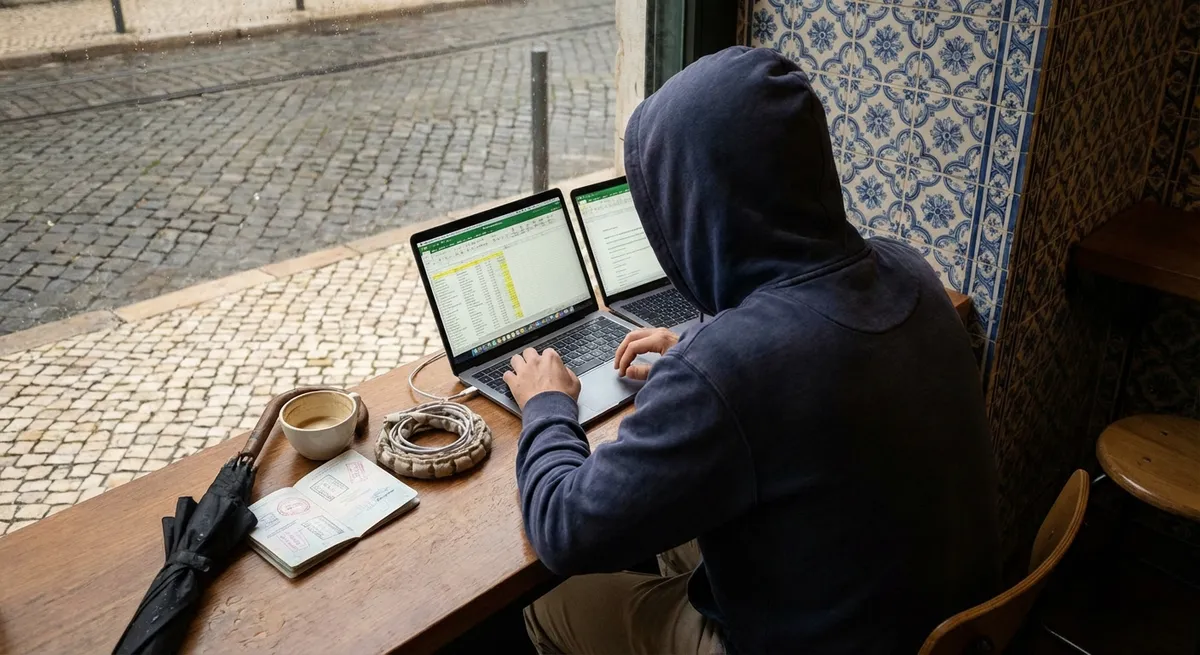
Most people daydream about “working from the beach.” Nomads know better: it’s missed connections, dead Wi‑Fi, noisy hostels, and calls at 2 a.m. The fantasy is easy. Keeping your clients happy while hopping borders is the real skill.
This guide isn’t about packing cubes or cute cafés. It’s about travel habits that keep your work stable while the rest of your life moves. If you want your trips to feel smooth instead of chaotic, these five essentials are your new baseline.
Build Travel Days Like Project Deadlines, Not Adventures
The fastest way to burn your reputation is pretending travel days are work days. They’re not. Travel is its own full-time project with a thousand hidden tasks.
Treat every move like a deliverable:
- Block the entire day as “low availability.” Tell clients and teammates in advance: “I’m in transit on Thursday; I’ll be slow to respond but fully back online Friday.”
- Never schedule calls within 12–18 hours of an international flight. Delays, immigration lines, and “surprise” SIM card hassles will eat that buffer.
- Work in “travel sprints.” Get critical tasks done 24–48 hours before you move. Travel day is for checking in, not shipping big projects.
- Use layovers as backup, not a plan. Airports are noisy, Wi‑Fi is hit-or-miss, and outlets are a cage fight. If you do work, treat it as bonus progress.
- Anchor your trip with a stable first week. When you land somewhere new, assume the first 72 hours are for logistics: housing issues, local SIM, transport, figuring out where you’ll actually work.
If you plan like everything will go wrong, you usually land somewhere between “fine” and “smooth.” If you plan optimistically, you’ll be apologizing on Zoom.
Lock Down Internet Like It’s Your Oxygen Supply
Nomads don’t run out of time; they run out of connectivity. “The Wi‑Fi looked fine in the photos” is how many contracts die.
Build a stack of redundant options:
- Accommodation Wi‑Fi is your baseline, not your only plan. Message the host or hotel and ask for:
- A photo of a live speed test
- Confirmation of where the router actually is
- Whether they have backup (second line or mobile hotspot)
- Carry your own connection. At minimum:
- Unlocked phone with hotspot
- Local SIM or regional eSIM (Airalo, Nomad, or carrier-based options)
- Enough data for a full day of work if Wi‑Fi dies
- Know what speed your work really needs.
- Email / docs: 5 Mbps down is enough
- Group calls: 10–15 Mbps down, 5 up
- Heavy uploads: prioritize upload speed and off-peak hours
- Pre-scout backup work spots. On your first day in a new city, pin:
- Two cafés with decent reviews mentioning Wi‑Fi
- One coworking space with daily passes
- Opening hours + commute time from your stay
- Accept that public Wi‑Fi isn’t safe. Use a trusted VPN for anything sensitive, keep auto-connect off, and avoid doing banking on random networks.
No internet, no income. Treat bandwidth with the same seriousness as your passport.
Choose Your Base Like You’re Choosing an Office, Not a Vacation
The best “nomad city” for Instagram is not necessarily the best city for your actual work. Sunsets don’t fix 3 a.m. meetings, impossible visas, or a six-hour daily commute.
Before you book, look at your work reality:
- Time zones decide your sleep quality.
- Commute kills your day, even as a nomad.
- Visa rules shape your calendar.
- Cost of living must match your worst month, not your best.
- Noise and sleep are productivity issues, not “comfort extras.”
If your clients are in New York and you’re in Bali, you’re looking at late nights or dawn calls. Sustain that for a week, not six months.
A cheap apartment 45 minutes from the nearest good café or coworking is rarely worth the savings. Proximity to your “office” matters.
Some countries offer long stays (e.g., digital nomad visas), others will shoo you out in 30–90 days. Constant border runs equal constant disruption.
Calculate your burn rate based on bad months of income. Leave margin for unexpected flights, replacement gear, and medical surprises.
Check reviews for “loud,” “club,” “construction,” and “thin walls.” A noisy room can destroy your ability to show up coherent on calls.
Pick places that make your work easier, then layer the fun on top of that—not the other way around.
Create a “Portable Office” You Can Deploy in 5 Minutes
You’ll work in apartments, cafés, airports, bus stations, and the occasional park bench. The goal isn’t to be comfortable everywhere; it’s to be functional quickly.
Think in systems, not gadgets:
- Standardize your setup. Have a simple, repeatable layout:
- Laptop centered
- Mouse/trackpad to the same side every time
- Headphones, notebook, and charger in predictable spots
- Keep one “work pouch.” All essentials in a single zip case:
- Laptop charger
- Phone cable + small power brick
- Travel adapter
- Wired backup earbuds (for when Bluetooth dies)
- USB drive or small SSD
- Respect your back and wrists. Long-term nomads who ignore ergonomics end up with pain and physio bills. At least:
- Use a laptop stand or prop (even a book stack)
- External mouse beats hunching over a trackpad all day
- Take stretch breaks; set timers if you have to
- Make your work environment obvious to your brain.
- Pack work clothes you’re not embarrassed to be seen in on video.
Your brain wastes less energy recalibrating if things feel familiar.
You should never be hunting through multiple bags before a call.
Simple triggers help: same playlist, same coffee ritual, same “start work” action (e.g., clearing your notifications, opening a specific app).
You don’t need a blazer, but you also don’t want to pitch a client in a stained tank top under a bunk bed.
The goal: you can land anywhere at 3 p.m. and be ready for a 3:15 p.m. meeting without chaos.
Travel With a “Failure Plan” So One Problem Doesn’t Take You Down
Things will go wrong: lost bags, stolen phones, bad Airbnbs, broken chargers. The difference between a minor headache and a disaster is your backup plan.
Think in terms of “If X breaks, how do I work tomorrow?”:
- Documents:
- Store passport, ID, and important documents in encrypted cloud storage.
- Keep digital copies of visas, tickets, insurance, and key contracts.
- Money:
- At least two cards from different providers (e.g., Visa + Mastercard).
- Separate them physically: one in your wallet, one in your bag.
- Have a small emergency cash stash in a different spot.
- Devices:
- Enable “Find my device” and remote wipe for phone and laptop.
- Keep critical logins in a secure password manager, not just your phone.
- Know where you could buy or repair a laptop in your current city.
- Accommodation:
- Have a “Plan B” bookmarked: a hotel or guesthouse you can book same-day if your booking goes bad.
- Don’t arrive at midnight with nowhere else to go.
- Health:
- Basic travel insurance that actually covers remote work gear and medical emergencies.
- Know the nearest clinic or hospital that speaks your language.
You’re not aiming to eliminate risk; you’re aiming to make most problems survivable within 24–48 hours without losing your main clients.
Conclusion
Travel is the easy part. Keeping your work solid while your surroundings constantly change is the real craft of being a digital nomad.
Plan travel days as “offline,” treat internet as infrastructure, choose bases that respect your time zone and workload, build a small but reliable portable office, and assume something will break—and have the backup ready.
Do that consistently, and you’ll stop “surviving” your moves and start using them as a backdrop for real, sustainable work—not just a highlight reel for social media.
Sources
- U.S. Department of State – Country Information - Official details on entry requirements, safety, and local conditions for planning bases and visas
- International Telecommunication Union – ICT Statistics - Data on connectivity and internet penetration to gauge how reliable infrastructure might be in different countries
- Mayo Clinic – Office ergonomics: Your how-to guide - Guidance on ergonomic setups to prevent long-term pain when working from improvised workspaces
- Federal Trade Commission – Protecting Your Personal Information - Practical advice on securing devices and data when constantly using new networks and locations
- Centers for Disease Control and Prevention – Traveler’s Health - Country-specific health advice to factor into long stays and remote work planning
Key Takeaway
The most important thing to remember from this article is that this information can change how you think about Travel Tips.