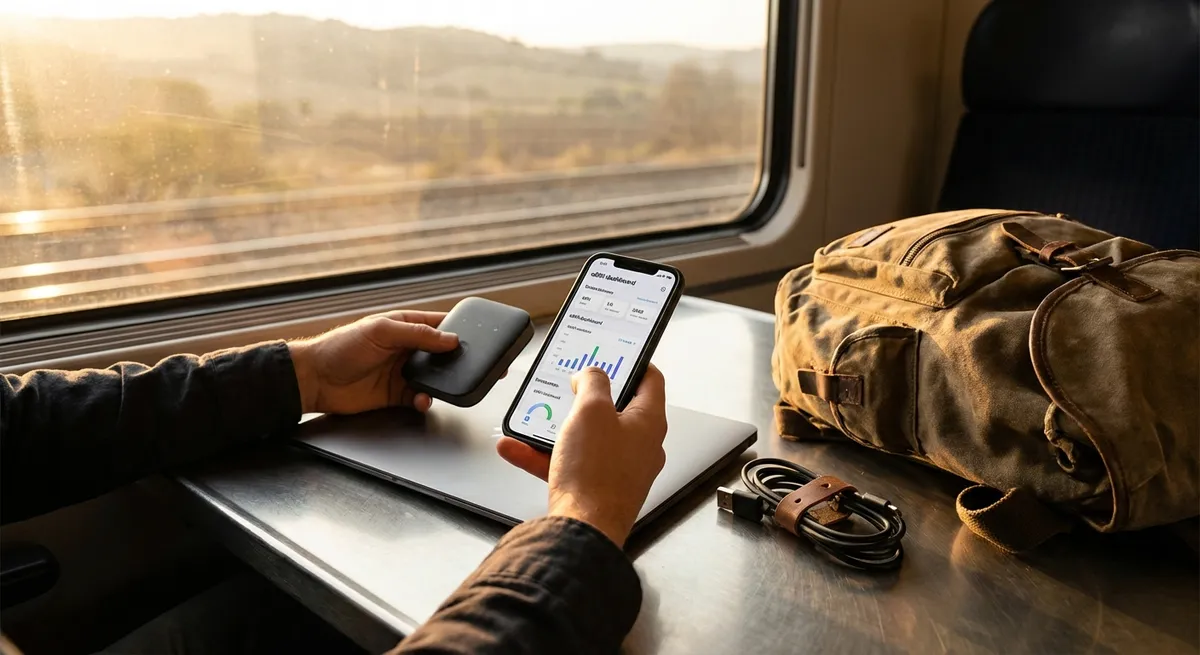
Most nomads don’t fail because they can’t find Wi‑Fi or a coworking space. They fail because their digital world is a mess: scattered files, missed client messages, lost passwords, and tools that look great on YouTube but fall apart on a Tuesday in Bangkok.
This isn’t about the “coolest apps.” It’s about building a simple, reliable digital setup you can trust when your flight is delayed, your Airbnb Wi‑Fi is lying, and you still owe a client a deliverable. Below are five field-tested ways to make your tools work for your lifestyle instead of against it.
1. Treat Your Laptop Like Mission-Critical Equipment
If your laptop dies, your income often dies with it. That’s not dramatic—that’s just how remote work works.
Start by hardening your setup:
- Redundancy over minimalism. A tiny USB-C hub, a spare charger, and a second pair of wired earbuds weigh almost nothing but can save a client call when Bluetooth fails or a single port burns out.
- Offline-first mentality. Assume you’ll lose connection at the worst moment. Enable offline mode for your core tools: Google Drive/Docs, Notion pages, password manager, calendar, and key reference files (contracts, passport scans, tax docs).
- Keep a “bare-minimum toolkit” installed locally. Browser, office suite, PDF reader, VPN, password manager, messaging apps, video call software—no cloud installer required. If you factory-reset or swap machines, you can be functional in under an hour.
- Standardize your workspace. Use the same browser, extensions, and folder structure across devices. That way jumping from primary laptop to backup or borrowed machine feels familiar instead of chaotic.
- Create an emergency-loss plan. Assume your backpack vanishes tomorrow. Can you:
- Log into key accounts from another device?
- Prove your identity (digital IDs, passport scans)?
- Access 2FA codes (via an authenticator app + backup codes, not just SMS to a lost SIM)?
Your laptop isn’t a gadget; it’s the equivalent of your workshop, office, and bank branch. Treat it like one.
2. Build a Password and Security System You Don’t Have to Babysit
Nomads live in high-risk environments—public Wi‑Fi, shared spaces, frequent border crossings, and devices constantly on the move. Hoping nothing goes wrong is not a strategy.
Set up a security system that’s strong but low-maintenance:
- Password manager or bust. Use a reputable password manager and let it generate unique long passwords. This cuts your “mental load” and makes mass-compromise less likely.
- Two-factor done properly.
- Prioritize app-based authenticators over SMS (SIM cards get lost, swapped, or spoofed).
- Store backup codes in an encrypted note within your password manager or offline document that’s not obvious (“passwords.txt” is a terrible file name).
- Automatic device protection.
- Full-disk encryption turned on.
- Screen lock after a few minutes.
- Remote-wipe enabled on laptop and phone if supported.
- Public Wi‑Fi hygiene.
- Use a VPN in airports, cafés, hostels, and coworking spaces.
- Avoid doing banking and sensitive logins on sketchy networks if you can.
- Turn off auto-connect to open Wi‑Fi.
- Border and checkpoint strategy. If you cross borders where device searches are common or you’re concerned about privacy, travel with a “clean profile” device when necessary: minimal personal data, separate logins, and only what’s essential for that trip.
Your goal: strong security that happens largely in the background so you can focus on work, not on remembering which password variation you used this month.
3. Design a Simple, Portable Workflow for Client Work
Most digital nomad pain doesn’t come from the destination; it comes from sloppy project management. Changing time zones, different Wi‑Fi strengths, and unpredictable days make it easy to miss details.
Create a workflow that travels well:
- One “command center” for work. Whether you’re using Notion, ClickUp, Trello, or a plain Google Sheet, centralize your tasks, deadlines, and client status there. No client should live only in your inbox.
- Clear file structure that survives chaos. Use a consistent layout across all projects, for example:
Clients → [Client Name] → 01_Admin → 02_Work_In_Progress → 03_Deliverables → 04_Archive
When you’re jet-lagged, you don’t want to guess where things are.
- Prepare for offline days. Before a travel day or border run, download what you need: briefs, reference material, templates. Assume you’ll be working on airplane mode.
- Make versioning boring and obvious. Save key files with clear dates or versions (
project-report_v3_2026-03-22.docx) and keep final deliverables in a dedicated folder. Avoid the “final_FINAL_v7” problem. - Standardize communication expectations. Save a reusable onboarding doc that you send new clients:
- Your typical response window in their time zone
- Preferred tools (email vs Slack vs WhatsApp)
- Your usual working hours and days
- How you handle travel days and emergencies
Your tools don’t need to be fancy—they need to be consistent. Workflows that survive sleep deprivation and bad Wi‑Fi are the ones that keep you employed long-term.
4. Make Cloud Storage Work For You, Not Against You
Cloud tools can either be your safety net or a slow-burning disaster. The difference is in how you organize and sync.
A practical approach:
- Choose one main cloud, one backup. For example, Google Drive as your primary, Dropbox or OneDrive as a secondary backup for mission-critical folders. Don’t scatter files across five services unless you genuinely need to.
- Keep an always-available “Go Folder.” A small folder (or shared drive) that’s synced on all your devices containing:
- Passport + visa scans (PDF)
- Insurance documents
- Emergency contacts and bank phone numbers
- Standard contracts and invoices
- CV/portfolio links, essential work templates
- Use selective sync for heavy assets. On smaller SSDs, sync only what you need to your laptop. Archive older work to cloud-only folders to keep local space free without losing access.
- Routine export and backup of platform data. If all your projects live inside one SaaS tool (like Notion, Asana, or ClickUp), periodically export backups or key databases. Tools go down, plans change, subscriptions lapse.
- Backups that don’t rely on your memory.
- Automatic system backups to an external SSD weekly.
- Cloud backups of critical folders daily or near-real-time.
- A recurring reminder to test restoring a file every month—backup systems you’ve never tested are assumptions, not protection.
Keep this offline-accessible as well.
Think of cloud tools as your “digital backpack” that follows you around the world. Pack it intentionally, and you’re much harder to knock offline.
5. Build a Time-Zone-Aware Communication System
Many nomads lose clients not because they’re bad at the work, but because they’re inconsistent and hard to pin down across time zones.
Let your tools absorb that complexity:
- Use a time zone–aware calendar. Make sure your calendar auto-adjusts as you travel and that you always view events in local time. Confirm that recurring client meetings survive time zone changes correctly.
- Link your calendar to your booking tool. Use something like Calendly or a similar scheduler tied to your main calendar, set to:
- Show availability in the client’s time zone
- Automatically avoid red-eye flights, major transit days, and your deep-work windows
- Create a “travel mode” routine. When you know you’ll be in motion:
- Block those hours in your calendar.
- Update Slack/Teams/WhatsApp status with “Travel day – replies slower until [time/day].”
- Download key chat threads or pin essential messages.
- Communication hierarchy. Decide which channels mean what, and tell clients:
- Email for non-urgent, detailed matters
- Chat for quick questions, with set response windows
- Calls reserved for strategy or complex issues
- Recurring check-ins and summaries. Use recurring tasks or calendar events to send quick weekly updates:
- What you completed
- What you’re working on next
- What you’re blocked on
This avoids 11 different apps all “kind of” being urgent.
This builds trust so that when you say, “I’ll be partially offline while I cross borders,” clients don’t panic.
Handled well, time zones become less of a problem and more of an asset—you can work while your clients sleep and deliver by the time they wake up.
Conclusion
Digital tools won’t fix a broken work ethic or make a flaky freelancer reliable. But the right systems—passwords under control, a hardened laptop setup, clear workflows, disciplined storage, and time-zone-aware communication—remove the kind of friction that quietly kills nomad careers.
Don’t aim for the perfect stack; aim for a stack you can rebuild fast from a new city with a borrowed laptop and unstable Wi‑Fi. If your tools can survive that, they’ll survive whatever your nomad life throws at them next.
Sources
- [National Institute of Standards and Technology (NIST) – Digital Identity Guidelines](https://pages.nist.gov/800-63-3/) - Authoritative guidance on passwords, authentication, and secure access practices relevant to remote work
- [Electronic Frontier Foundation – Surveillance Self-Defense](https://ssd.eff.org/) - Practical digital security tips for travelers, including device and data protection on the move
- [Google Workspace Learning Center – Work offline in Google Docs, Sheets & Slides](https://support.google.com/a/users/answer/9308873) - Official instructions for setting up offline access to core productivity tools
- [Microsoft – Back up your Windows PC](https://support.microsoft.com/en-us/windows/back-up-your-windows-pc-a515ceef-9034-4b0d-acd3-16b52b0a5df4) - Step-by-step guidance on configuring system and file backups on Windows devices
- [Harvard University Information Security – Protecting Your Devices and Data While Traveling](https://security.harvard.edu/travel) - Field-tested recommendations for secure digital practices during international travel
Key Takeaway
The most important thing to remember from this article is that this information can change how you think about Digital Tools.