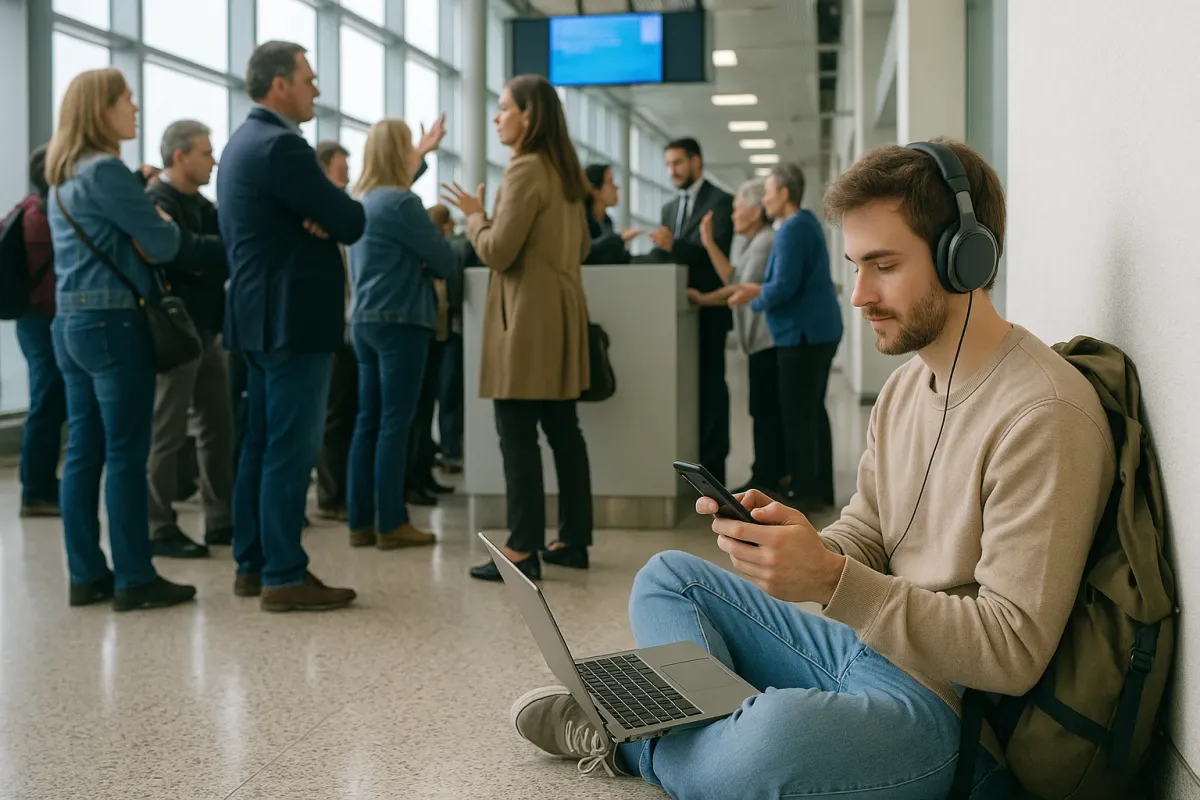
Holiday travel chaos is here again, and if you’ve seen that viral Bored Panda roundup of “25 Travel Gadgets For Anyone Who Is Already Mentally Preparing For The Chaos Of Holiday Travel,” you already know what’s coming: packed security lines, delayed flights, gate changes every 10 minutes, and people trying to charge three devices from one airport outlet using pure hope.
For digital nomads, this isn’t just annoying—it’s a workday risk. Miss a deadline because your flight was stuck on the tarmac and you had 3% battery? Your client won’t care that TSA was understaffed. So instead of just buying another “travel gadget” from a cute list, treat this year’s airport mess as a systems check for your nomad setup.
Below are five field-tested strategies I (and plenty of full-time nomads) actually use to keep income flowing and sanity intact when airports turn into chaos zones.
Build A “Flight-Delay Work Setup” You Can Deploy In 60 Seconds
When airports melt down—like we’re already seeing in December with long TSA lines and rolling delays—you don’t need more stuff, you need a pre-built system. Create a minimal work kit you can use anywhere in the terminal without spreading your life across three chairs.
What I recommend: 1) laptop + charger, 2) compact external battery that can charge a laptop (not just your phone), 3) noise-cancelling earbuds (over-ears are great, but earbuds take less space), 4) a tiny folding laptop stand, and 5) an offline “delay task list” (more on that later). Pack this in the same section of your carry-on every time. When the board flips from “boarding” to “delayed,” you shouldn’t be rummaging; you should be working within a minute. Test yourself at home: unzip bag, sit at a table, and time how long it takes to be ready to work. Under 60 seconds is the goal.
Treat Airport Wi‑Fi As A Bonus, Not A Plan
This season, airports from London to Atlanta are already reporting overcrowded terminals and spotty Wi‑Fi during peak holiday weekends. As a nomad, assume airport Wi‑Fi will be: slow, overloaded, or completely dead—especially when everyone is streaming Netflix and uploading “stuck at the airport” stories.
Practical setup: use three tiers of connectivity.
1) Primary: local eSIM or SIM with hotspot (e.g., Airalo, Holafly, Nomad eSIM, or a local carrier).
2) Backup: your original home-country SIM on roaming, data-limited but there for emergencies like client calls or 2FA codes.
3) Last resort: airport Wi‑Fi for downloading large files, system updates, or non-sensitive browsing.
Before any long travel day, download what you can: Google Docs offline, Notion offline pages, reference PDFs, client briefs. That way, if connectivity goes sideways, you switch to offline work instead of doomscrolling flight delays on X.
Move Your Deadlines Away From Travel Days
This is the thing that separates hobby travelers from working nomads. When holiday season hits and news outlets start showing footage of endless terminal queues, shift your calendar, not just your expectations.
If your flight is on Thursday, don’t schedule deliverables or live calls for Wednesday night or Friday morning local time. Airlines are already warning about cascading delays during the busiest weekends; you have to assume you may be: 1) stuck on the runway, 2) without Wi‑Fi, or 3) dealing with immigration queues for two hours longer than planned. Communicate with clients up front: “I’ll be in transit between X and Y on these dates, so I’ll deliver earlier that week.” It sounds obvious, but most newer nomads keep pretending they can “just work from the airport.” You can—but not reliably, and reliability is what people pay you for.
Design “Airport-Proof” Work: Tasks You Can Do Tired, Cramped, And Offline
When that Bored Panda gadget list goes viral every December, everyone rushes to buy pillows and cable organizers—but the real hack is having work that doesn’t care if you’re exhausted and sitting on the floor by Gate 29B.
Create a personal list of “low-brain, low-bandwidth tasks” you can do:
- Drafting rough content (emails, blog posts, scripts) in a plain text editor
- Planning your next month (income targets, destinations, visa dates)
- Cleaning up files/folders on your laptop
- Organizing project notes, tagging PDFs, sorting screenshots
- Reviewing past work and noting improvements
Store this list in a note app that’s always available offline. When the departure board turns red and everyone else starts complaining, you open your “Delay Tasks” list and switch into execution mode. You might not get deep-focus work done, but you can absolutely move your business forward in 30–60 minute chunks between gate changes.
Travel Like Your Tech Will Fail (Because Eventually, It Will)
This year alone we’ve seen multiple stories of people stranded with dead phones—lost boarding passes, no hotel info, no way to contact anyone. During peak holiday chaos, when airlines are juggling cancellations, that’s the worst time to be overly dependent on a single device.
Practical nomad moves:
- Print the critical stuff: at least your first night’s accommodation details, a screenshot + printed copy of your boarding pass if possible, and essential addresses. Old-school, yes. Also: still useful when your phone dies at immigration.
- Sync passwords offline: use a password manager with offline access for your main email and bank/log-in accounts. Airport Wi‑Fi outages plus “forgot password” emails you can’t access is a brutal combo.
- Redundancy for essentials: two cards stored separately, at least one debit + one credit, and one digital wallet (Apple Pay / Google Pay) set up in advance. If your physical wallet disappears in a crowded terminal, you’re inconvenienced—not stranded.
Nomads who last understand this: travel is about resilience, not perfection. Every delayed flight or lost bag is a stress test of your systems.
Conclusion
Holiday travel chaos isn’t an exception anymore; it’s the default, especially on the busiest December weekends that headlines keep warning us about and gadget lists keep joking about. As a digital nomad, you don’t just need clever gear—you need a repeatable playbook for surviving broken Wi‑Fi, rolling delays, and tech failures without putting your income at risk.
Build a deployable delay-work setup, stop trusting airport Wi‑Fi, push deadlines away from travel days, create airport-proof tasks, and travel as if your tech is going to fail you at least once per trip. Do that, and instead of being the person rage-posting from the gate, you’ll quietly get another solid workday done while everyone else is still arguing with the departure board.
Key Takeaway
The most important thing to remember from this article is that this information can change how you think about Nomad Life.