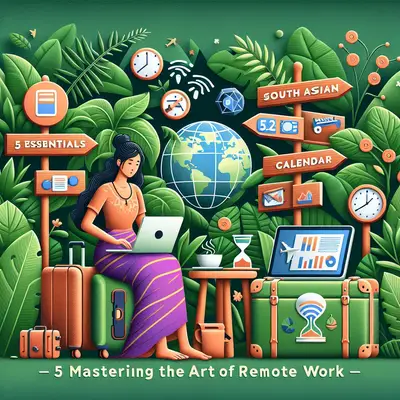
If you only work remotely when the internet is perfect and the chair is ergonomic, you don’t really work remotely—you just work from nicer offices. Real digital nomad life is airport floors at 2 a.m., guesthouse routers from 2009, surprise power cuts, and clients who still expect a clean deliverable on Monday. This isn’t about “living your best life”; it’s about building a system that works even when the road doesn’t. These five essentials are what keep your income steady when conditions are anything but.
Build an Offline-First Workflow (So Wi‑Fi Stops Owning You)
If everything you do depends on a stable connection, you’re not location-independent—you’re router-dependent. An offline-first workflow means you can keep moving even when the internet drops for hours.
Sync key tools (Docs, Sheets, Notion, OneNote, etc.) for offline use before you move locations. Keep local copies of current projects on your laptop and back them up to at least one external drive. Draft emails, proposals, and reports offline, then send in batches when you get a connection. Download reference material you actually use: brand guidelines, price sheets, code snippets, templates. For heavy files (video, large design assets), plan your upload windows like meetings—early mornings or late nights when shared hostel bandwidth is less congested.
This isn’t just about convenience. Offline-first work protects your deadlines from bad infrastructure and your sanity from “the café closed early and changed the Wi‑Fi password” moments. Your goal: you should be able to work a full half-day productively with zero internet if you’ve done your prep right.
Treat Time Zones Like a Tool, Not a Problem
Time zones can either wreck your sleep or quietly boost your value. The difference is how deliberately you design your working hours.
Start by mapping your clients’ core working window and your local time side by side. Decide which parts you must be “live” for—meetings, Slack availability, quick approvals—and which parts can be async: deep work, writing, coding, design, research. Use that to create a stable daily routine rather than rebuilding your schedule every time you cross a border.
If you’re ahead of clients (e.g., Asia while they’re in Europe or the US), lean into the “overnight turnaround” advantage: get briefs before your evening, deliver by their morning. If you’re behind, use that to react faster to late requests, then do your own deep work after their day ends. Communicate your standard availability clearly in your email signature, onboarding docs, and calendar invites, and keep one master calendar in the client’s time zone to avoid mixups.
Most nomads burn out not from the hours they work, but from constantly shifting sleep and availability. Lock in your “core hours” and let travel route planning fit around that, not the other way around.
Make Your Gear Replaceable, Not Precious
The point of your laptop isn’t to be your most prized possession. It’s to be replaceable with minimal damage to your business if it’s stolen, dropped, or drowned in hostel coffee.
That starts with two things: backups and standardization. Use automated cloud backups for active work and a physical backup (small SSD or encrypted USB) you update regularly and keep separate from your main bag. Avoid one-of-a-kind setups that only you understand; document your essential tools, logins (using a password manager), and configurations so you can rebuild your environment quickly on a new machine.
For hardware, aim for sturdy and common, not exotic and irreplaceable. Pick devices you can buy in most major cities—mainstream laptop brands, standard chargers, common connector types. Carry one compact “repair kit” for the road: spare charging cable, universal plug adapter, small power strip, and a power bank that can run your laptop in a pinch if airline or local rules allow it. None of this is glamorous, but it’s the difference between “trip ruined” and “annoying afternoon at a mall, back in business tomorrow.”
Create Routines That Survive Constant Movement
Every new city brings new food, new distractions, and new reasons not to work. That’s fine if you’re on vacation; it’s lethal if your rent depends on your output.
Instead of trying to recreate your “ideal” routine in every place, build a minimal, portable one: a short set of actions you do every workday, no matter what. For example: a 10-minute morning planning session, 3 fixed focus blocks (90 minutes each), and one non-negotiable shutdown ritual where you review the day and set tomorrow’s top three tasks. Everything else—gym, sightseeing, social life—fits around these anchors.
Treat your workspace the same way. You won’t always get the perfect café or coworking spot, so define your baseline: a table, a chair that doesn’t destroy your back in one hour, and enough power and Wi‑Fi to get through your priority tasks. If the environment is mediocre but meets that baseline, you work. Save the search for “perfect vibe” for your days off. Nomad life has to be designed for “good enough and reliable,” not “perfect and rare.”
Guard Your Energy Like It’s Part of Your Tech Stack
Your laptop needs battery; you need energy. Most nomads obsess over charging their devices and treat their own rest and health as optional. That’s how good clients slowly drift away—they notice when your work quality drops long before you admit you’re cooked.
Start by being honest about your own patterns. Are you actually able to do deep work after a full day of moving cities? If not, don’t stack heavy project work on travel days—use them for light admin, messages, and planning. Build recovery days into longer moves: one day where the only “must do” is show up for your core work hours and sleep properly.
On the ground, simplify your health basics: a consistent sleep window, enough water, and one simple form of movement you can do almost anywhere (walking, bodyweight workouts, short runs). This isn’t about fitness goals; it’s about having enough focus and resilience that you can still think clearly when your Airbnb turns out to be next to a nightclub and the rooster starts at 5 a.m.
Protect your attention too. Turn off non-essential app notifications, batch your communication checks, and set quiet hours where no one gets your instant replies. Productivity isn’t a personality trait—it’s an environment you defend. Remote work on the road only lasts if you do.
Conclusion
Remote work as a nomad isn’t something you “wing” with a good backpack and a flexible mindset. It’s a system you build: offline-first tools, deliberate time zone strategy, replaceable gear, portable routines, and ruthless energy management. Get these five essentials in place and suddenly unreliable Wi‑Fi, loud hostels, and long travel days stop being career threats and start being just background noise. The trips change; the setup doesn’t—and that’s how you keep earning while the scenery moves.
Sources
- [U.S. Cybersecurity & Infrastructure Security Agency – Securing Remote Work](https://www.cisa.gov/sites/default/files/publications/CISA_Insights_Secure_Telework_508.pdf) - Practical guidance on secure remote setups and protecting data on the move
- [Harvard Business Review – How to Collaborate Effectively If Your Team Is Remote](https://hbr.org/2020/02/how-to-collaborate-effectively-if-your-team-is-remote) - Covers async communication, time zones, and managing remote expectations
- [Microsoft 365 – Work Offline in Google Docs Editors Help (Archived via Google)](https://support.google.com/docs/answer/6388102) - Step-by-step info on enabling offline work for documents and spreadsheets
- [CDC – Travel Health: Tips for Travelers](https://wwwnc.cdc.gov/travel/page/travel-health-tips) - Solid baseline advice for staying physically healthy while moving between locations
- [National Institute for Occupational Safety and Health (NIOSH) – Simple Solutions for Home and Remote Work](https://www.cdc.gov/niosh/topics/ergonomics/simple-solutions.html) - Ergonomic and setup recommendations useful for improvised workspaces
Key Takeaway
The most important thing to remember from this article is that this information can change how you think about Remote Work.